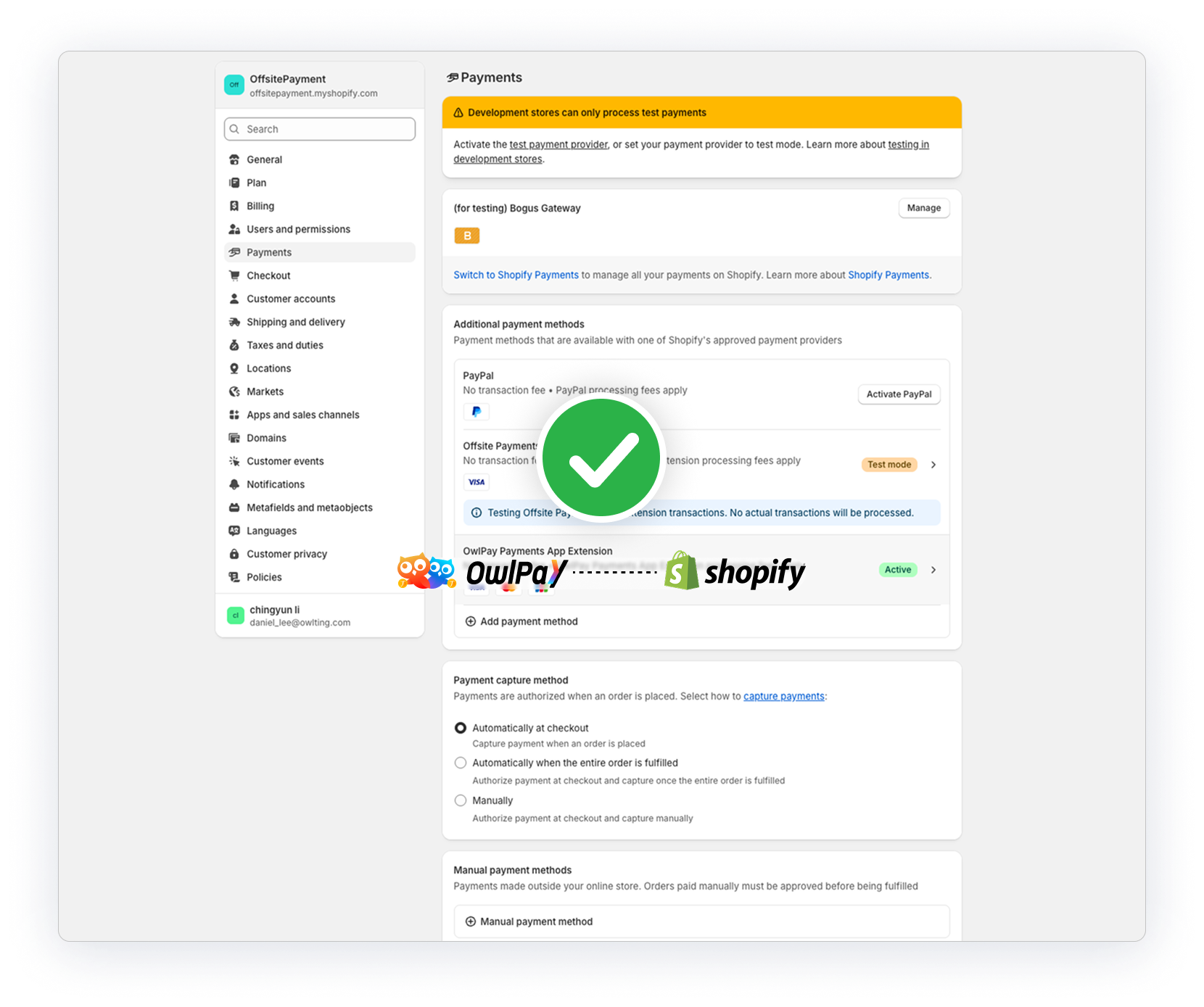
Shopify x OwlPay Payment
Prerequisite
- You need to sign up for OwlPay first. Click here to learn how to activate OwlPay.
- Install the OwlPay Payment app using the invitation link we provided (referred to as “the App” below).
- Currently available only in Hong Kong.
Quick overview
Sync your Shopify orders to OwlPay in just three steps.
- Activate OwlPay and install the payment gateway
- Install the App in Shopify
- Connect Shopify to OwlPay
Activate OwlPay service
Follow the activating OwlPay services guide and the install acquiring extensions guide.
Install the App in Shopify
1. Click the invitation link provided by OwlPay.
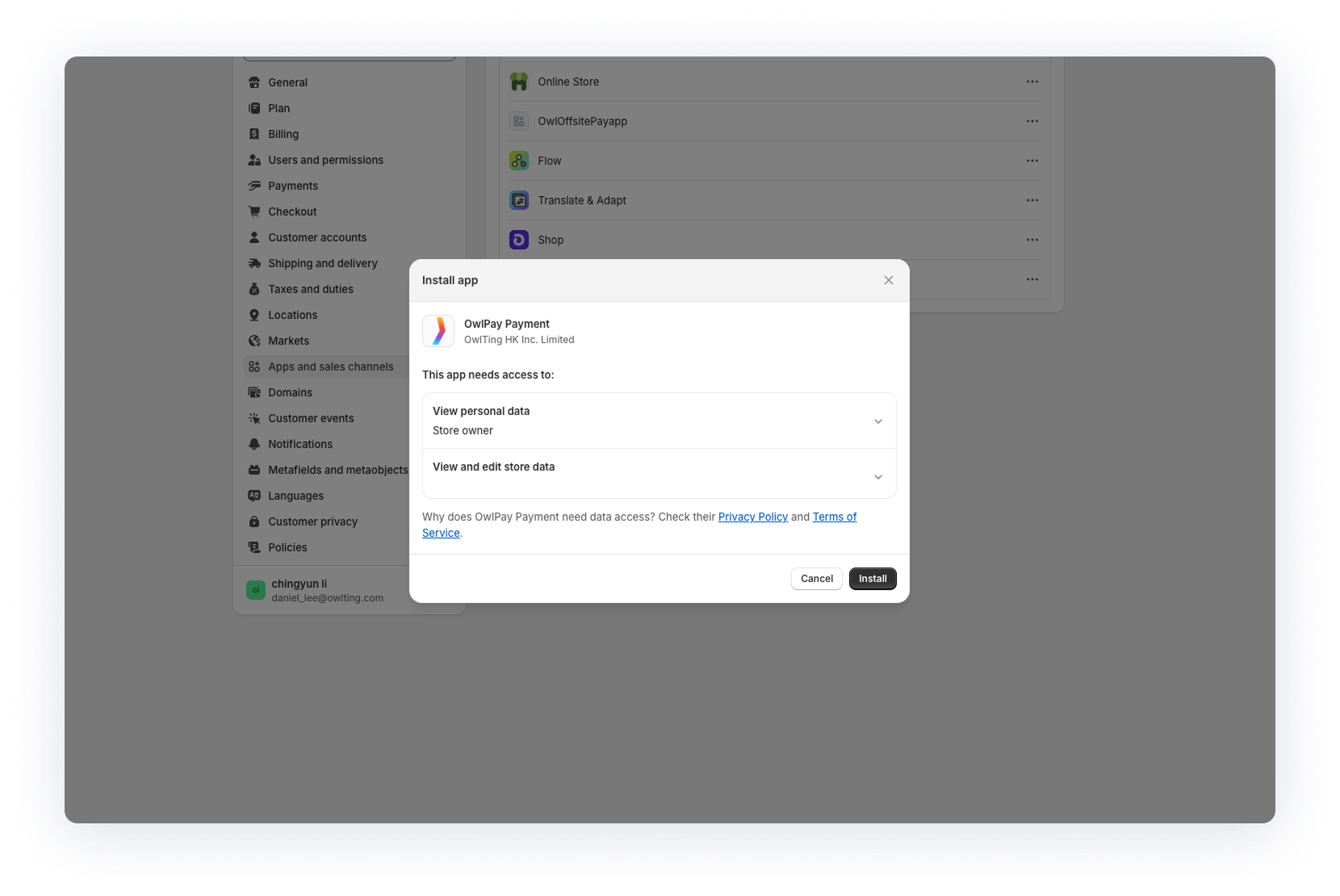
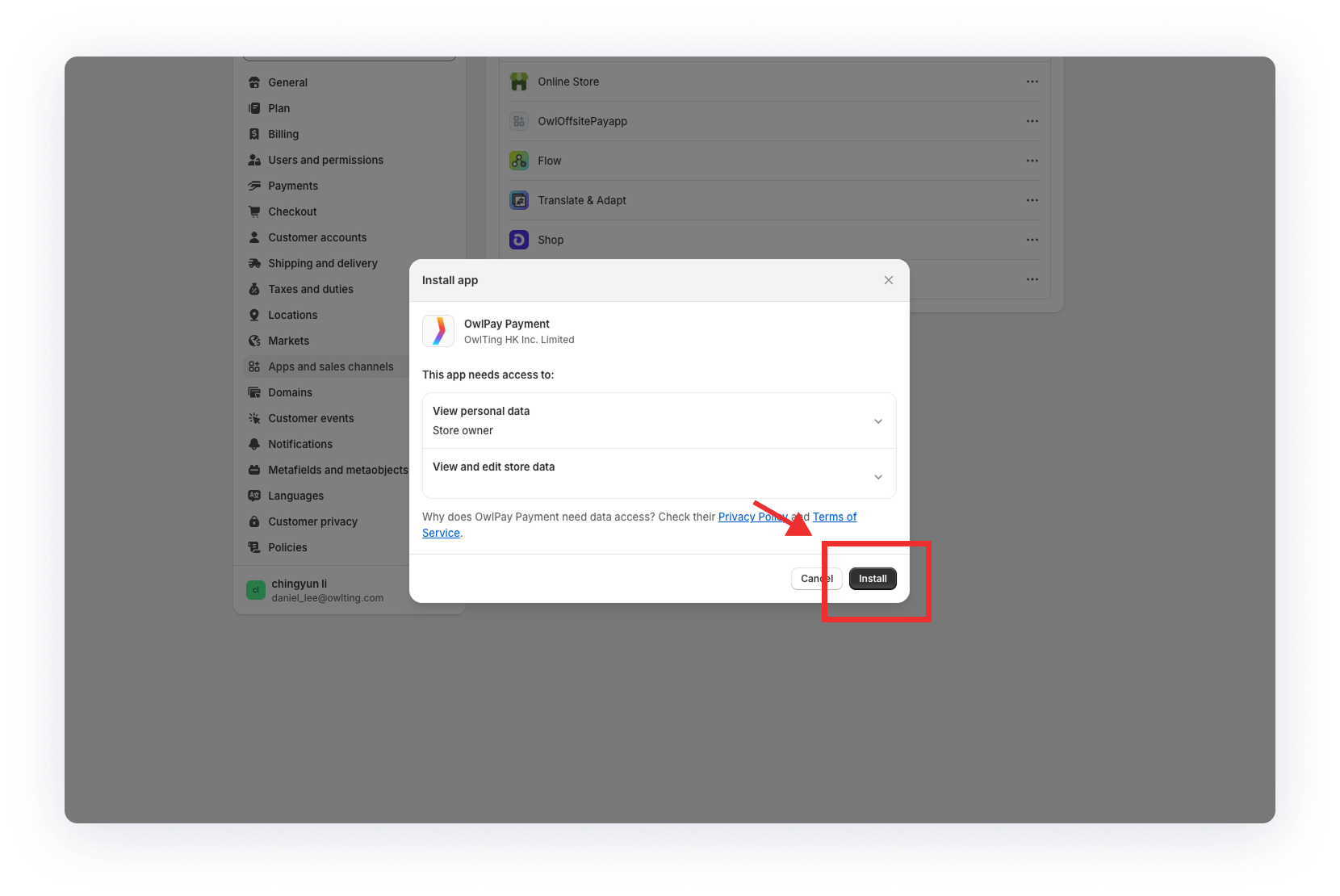
2. Click "Install"
Connect Shopify to OwlPay
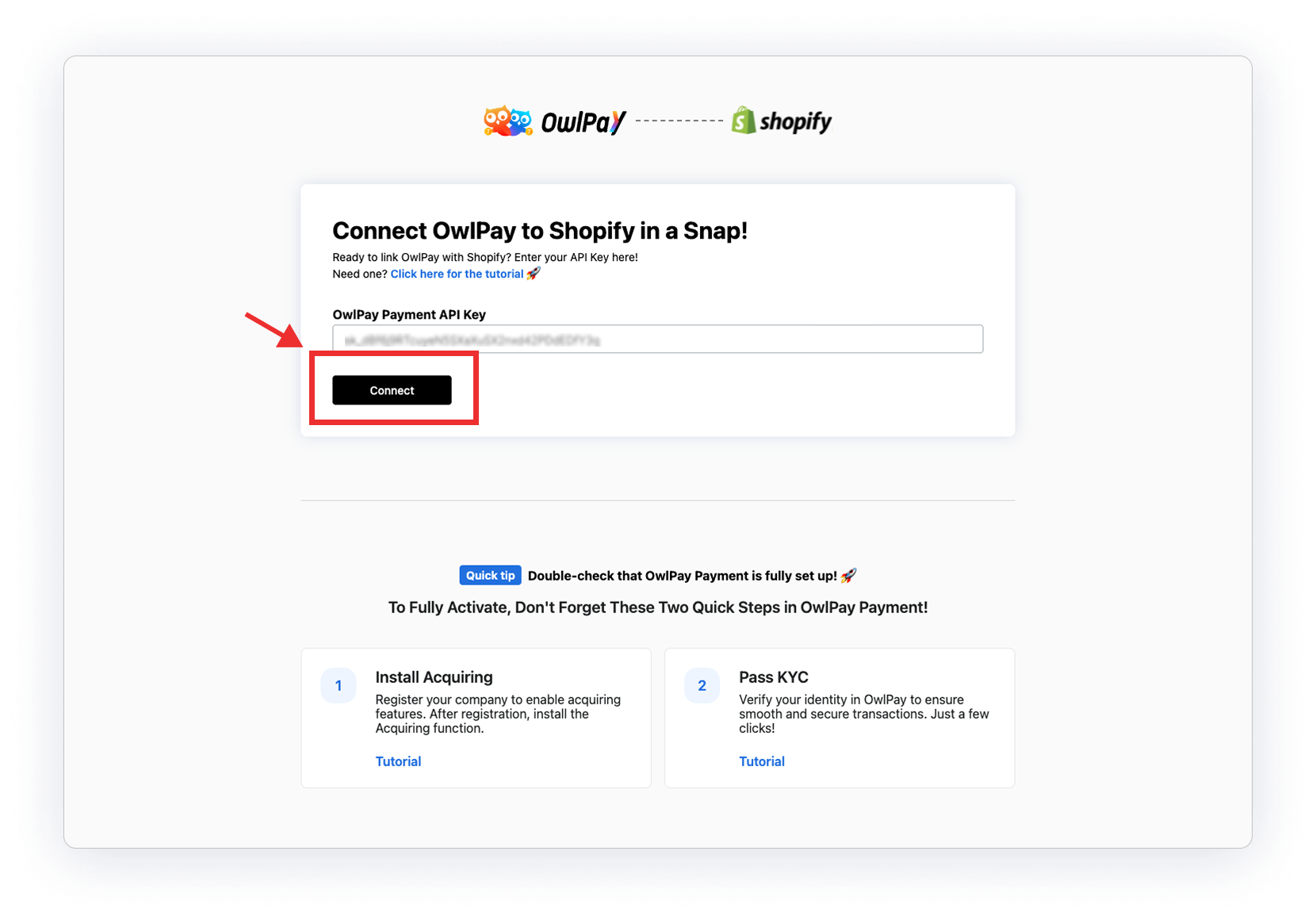
1. Paste your OwlPay API Key into the OwlPay Payment API Key field in Shopify.
Get your API Key by following the how to add API Key guide.
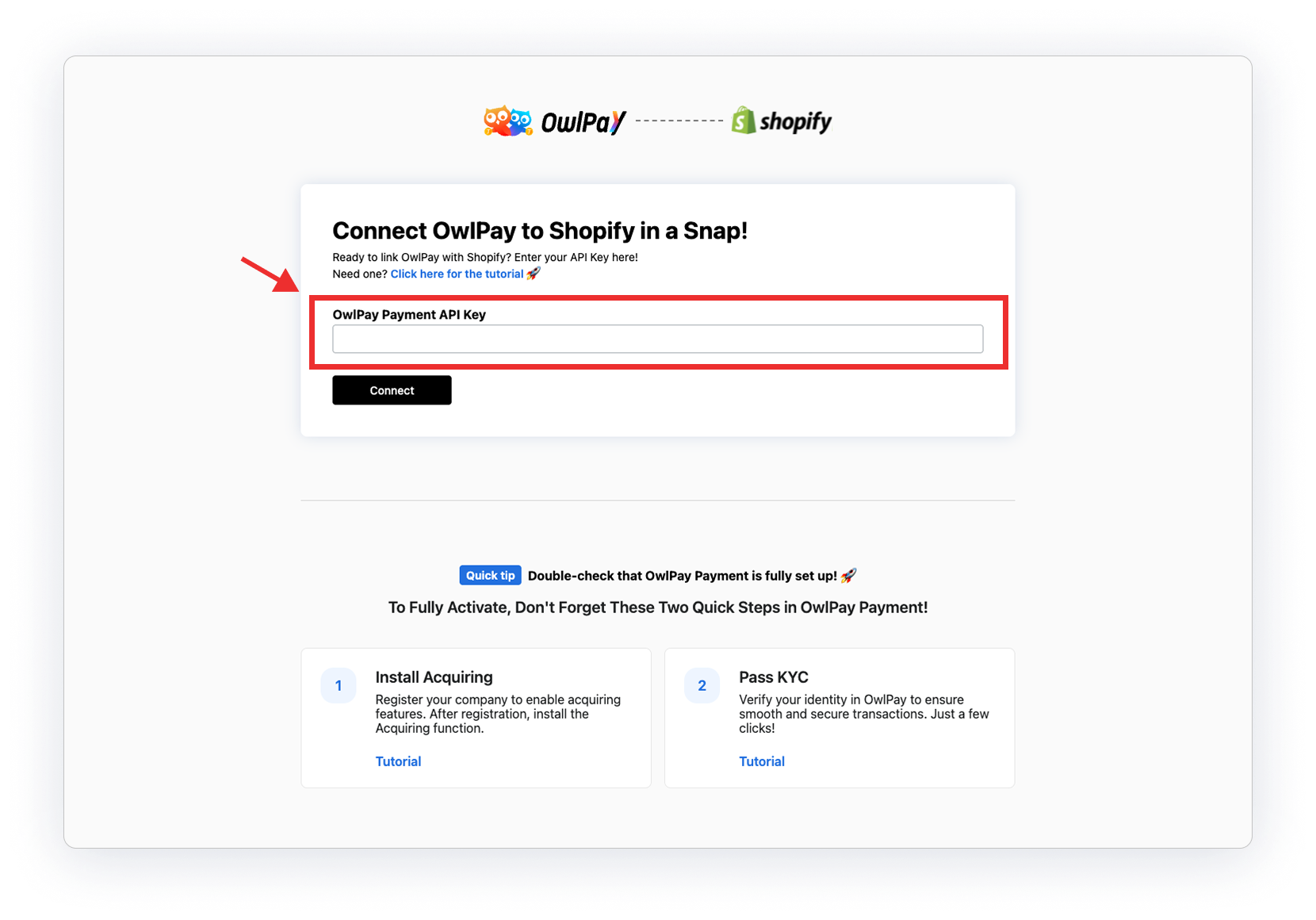
2. Click "Connect"
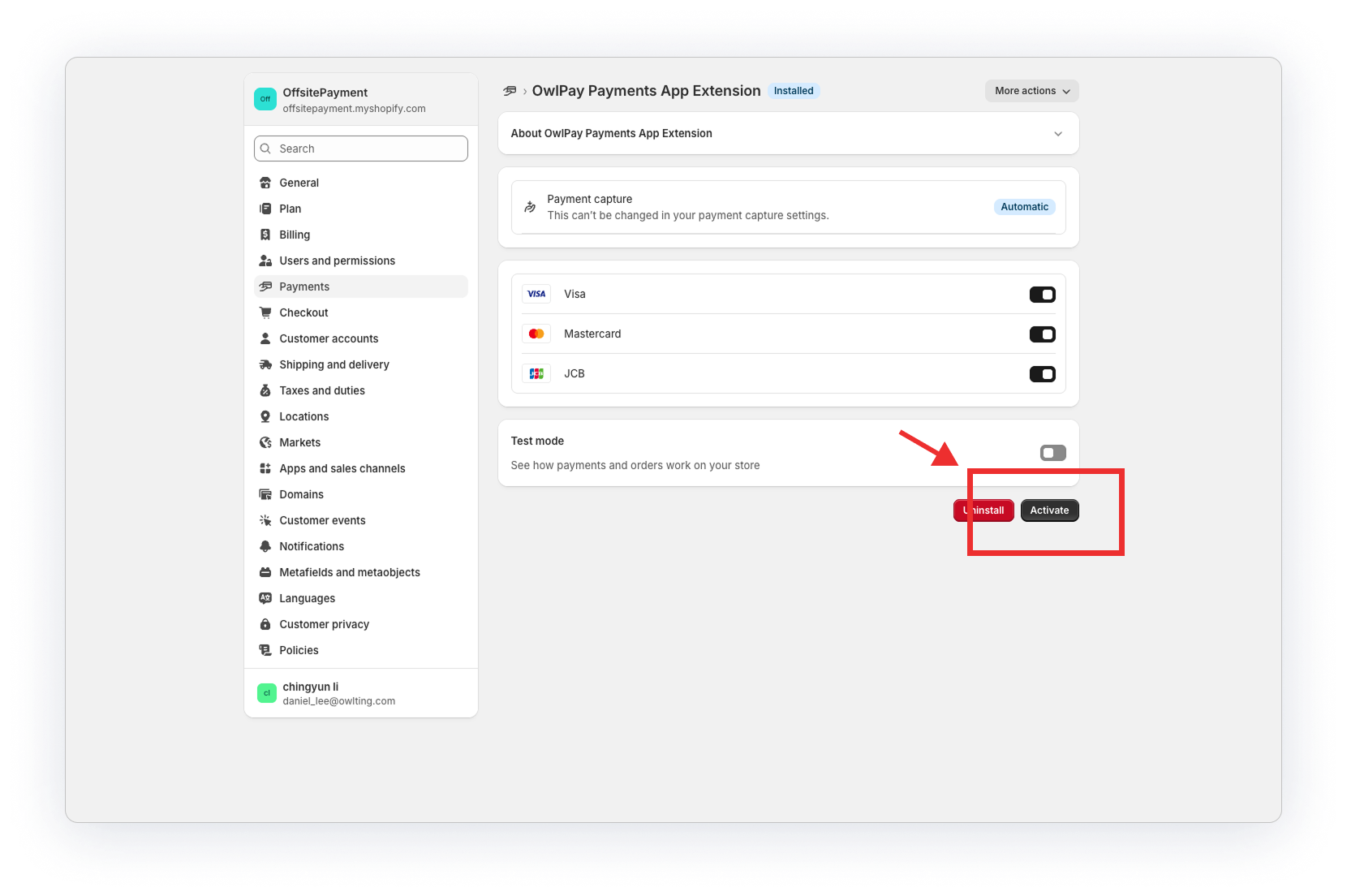
3. Once connected, click "Activate"
4. Done!
All new Shopify orders will now automatically sync to your OwlPay dashboard.
Enjoy seamless payments!